
How to Buy and Download Your Digital Files (Step-by-Step Guide)
Buying and downloading your digital files is quick and easy. In just a few simple steps, you can complete your purchase and start using your files instantly.
All products are digital downloads, meaning no physical items will be shipped. Once your payment is confirmed, your files will be available for immediate download.
Follow the steps below to learn how to buy and download your files easily and securely.
Choose your design
Browse our collection and select the design that best fits your project.
On each product page, you will find important information to help you understand exactly what is included in the download, such as:
- Preview images showing the design you will receive
- Included file formats (SVG, PNG, DXF, EPS)
- Compatible software and machines
- Instant download availability after purchase
Take a moment to review the product details to make sure the design meets your needs.
Once you find the design you like, click “Add to Cart” to continue shopping or click “Buy Now” to go directly to the checkout page and complete your purchase.
Review your cart
After adding your product, open your cart to review your order. You can:
- Adjust the quantity if needed
- Remove items from your cart
- Continue shopping
- When everything looks good, click “Proceed to Checkout.”
Complete secure checkout
Enter your billing details and complete your purchase through our secure checkout. Accepted payment methods may include:
- Credit / Debit Cards
- PayPal
- Other secure payment gateways supported on the site
- Once the payment is successfully processed, your order will be confirmed immediately.
Download your files
After completing your purchase, you can download your files instantly. There are two ways to access your downloads:
- Option 1 – Order confirmation page: Immediately after payment, you will see download links on the order confirmation page.
- Option 2 – Email download link: You will also receive an email containing your download links. Simply click the link to download your files.
Extract the ZIP file
After downloading, your files will be packaged in a ZIP folder. This format helps keep everything organized and reduces file size for faster downloads.
Why do you need to extract the ZIP file?
You cannot use the files directly inside the ZIP folder. You must extract (unzip) it first to access and use your design files.
How to extract a ZIP file
On Windows
- Download the ZIP file to your computer
- Right-click on the file
- Select “Extract All”
- Click Extract
- A new folder will appear containing all your files
On Mac
- Download the ZIP file
- Double-click the ZIP file
- The system will automatically extract it
- A new folder with your files will appear
What’s Inside the ZIP File?
Once the ZIP file has been successfully extracted, you will receive the file formats listed in the product description. Most designs include:
- SVG (for Cricut, Silhouette Designer Edition)
- PNG (transparent background, high resolution)
- DXF (for Silhouette Basic Edition)
- EPS (vector editing software)
The exact file formats you receive may vary depending on the specific product. Please refer to the product description for full details before purchasing.
Notes:
- If you can’t find your file after downloading, check your Downloads folder
- If extraction fails, try using tools like WinRAR or 7-Zip
- Always extract the files before uploading them to Cricut or Silhouette
Use your files
Once extracted, your files are ready to use. They can be used for:
- Cricut Design Space
- Silhouette Studio
- Sublimation printing
- T-shirt printing
- Stickers
- Vinyl cutting
- Other crafting projects
Important notes
- All products are digital downloads only. No physical items will be shipped.
- Files become available immediately after payment.
- Make sure to download and save the files to your device.
Need help? If you have any issues with your order or downloads, feel free to contact us at [email protected] or via live chat. We typically respond within 24 hours.
For a smooth shopping experience, we recommend reviewing our policies before placing your order:
By completing your purchase, you agree to our terms and policies.
-
 Bluey Easter Day SVG, PNG, DXF, EPS for Cricut, Printing or More - Free Design
Free Files
Bluey Easter Day SVG, PNG, DXF, EPS for Cricut, Printing or More - Free Design
Free Files -
 Bluey Happy Easter Day SVG, PNG, DXF, EPS for Cricut, Sublimation Mugs or More - Free Design
Free Files
Bluey Happy Easter Day SVG, PNG, DXF, EPS for Cricut, Sublimation Mugs or More - Free Design
Free Files -
 Bluey Bingo Easter Egg SVG, PNG, DXF, EPS for Cricut, Sublimation Shirts or More - Free Printable Designs
Free Files
Bluey Bingo Easter Egg SVG, PNG, DXF, EPS for Cricut, Sublimation Shirts or More - Free Printable Designs
Free Files -
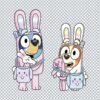 Bluey and Bingo Easter SVG, PNG, DXF, EPS for Cricut, Sublimation Printing or More - Free Digital Files
Free Files
Bluey and Bingo Easter SVG, PNG, DXF, EPS for Cricut, Sublimation Printing or More - Free Digital Files
Free Files -
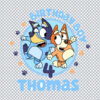 Thomas 4th Bluey Birthday Boy SVG, PNG, DXF, EPS for Cricut, Poster Printing or More - Free Download
Free Files
Thomas 4th Bluey Birthday Boy SVG, PNG, DXF, EPS for Cricut, Poster Printing or More - Free Download
Free Files -
 Lucas 2nd Bluey Birthday Boy SVG, PNG, DXF, EPS for Cricut, DIY Printing or More - Free Download Design
Free Files
Lucas 2nd Bluey Birthday Boy SVG, PNG, DXF, EPS for Cricut, DIY Printing or More - Free Download Design
Free Files -
 Hilary 2nd Bluey Birthday Girl SVG, PNG, DXF, EPS for Cricut, Paper Crafts or More - Free Design Files
Free Files
Hilary 2nd Bluey Birthday Girl SVG, PNG, DXF, EPS for Cricut, Paper Crafts or More - Free Design Files
Free Files -
 Ethan 4th Bluey Birthday SVG, PNG, DXF, EPS for Vector Design, Printing or More - Free Digital Design
Free Files
Ethan 4th Bluey Birthday SVG, PNG, DXF, EPS for Vector Design, Printing or More - Free Digital Design
Free Files -
 Chilli Mommy of the Birthday Girl SVG, PNG, DXF, EPS for Digital Design, Printing or More - Free Design Download
Free Files
Chilli Mommy of the Birthday Girl SVG, PNG, DXF, EPS for Digital Design, Printing or More - Free Design Download
Free Files -
 Bluey Logo SVG, PNG, DXF, EPS for Graphic Design, Craft Projects or More - Free Design
Free Files
Bluey Logo SVG, PNG, DXF, EPS for Graphic Design, Craft Projects or More - Free Design
Free Files